 VidFX AI
AI Background Remover
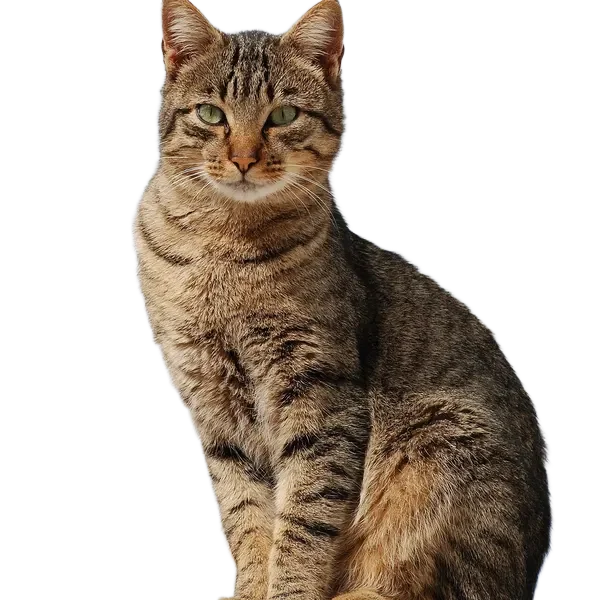
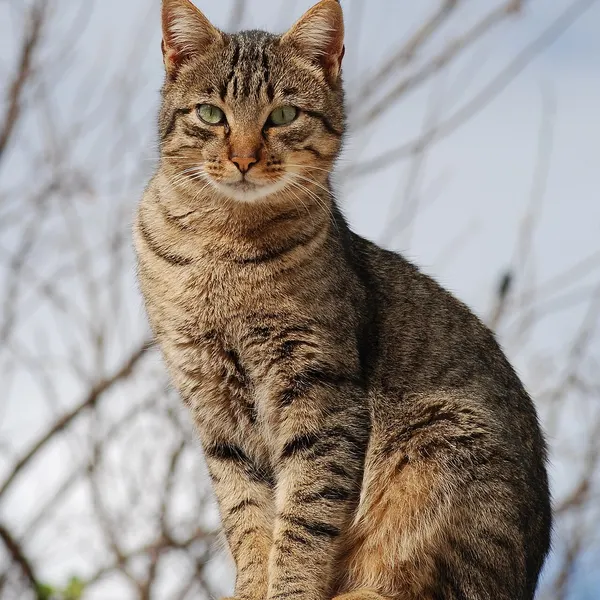
Upload a photo and get the subject cut out on a transparent background, ready for product listings, slides or stickers. Hair, fur and soft edges are kept.
1 free watermarked preview per day1 credit per full-quality runPricing →
1 free watermarked preview per day
Examples
Drag the handle to compare the original and the result.
How to use the AI Background Remover
- 01
Upload a JPG, PNG or WebP photo with a clear subject.
- 02
Click Generate. The AI finds the subject and removes everything behind it.
- 03
Download the transparent PNG and drop it into your design.
FAQ
Is the background remover free?
You can try it once a day for free without an account; the free result is a smaller, watermarked preview. Full-resolution results without watermark use 1 credit each.
What file do I get?
A PNG with a transparent background, so you can place the subject on any color or scene.
Does it work on hair and fur?
Yes. The model keeps fine edges like hair, fur and soft shadows better than a simple magic-wand cut.
Do you keep my photos?
Photos are only sent to the model to create your result. We do not store them or use them for anything else.
Is this the official BRIA RMBG 2.0 site?
No. VidFX AI is an independent interface built on third-party AI models. This page runs BRIA RMBG 2.0 through fal.ai and is not affiliated with or endorsed by BRIA AI.